One thing I have seen alot of among other computer savy friends and most of the people I know is they all use the same user name and password when they sign up for new website accounts. No one wants to have to remember more than one account password. And if we did use more than one password we would just add a number or increment the number by one. This is because humans have a hard time remembering more than one thing at a time when it is something they do all the time. I have found a website I am going to try that will let you type one password and it will make new random passwords for sites without making you remember them. Once you log in to the site that remembers your passwords it will let you log into many of your favorite sites quickly and no one will be able to unlock all your passwords from these sites. It is nice because the more sites you log into the more likely you are to run into one that is storing you password in plain text and someone might figure it out and unlock your other sites.
Here it is:
http://www.passpack.com
Sunday, February 21, 2010

Thursday, December 3, 2009
I use google voice with php
I have figured out how to send make a php page use my google voice web widget dynamically! I wanted to pull numbers out of a database to call if I wanted to instead of just using it manually. I could call someone at any time programatically and they would pick up the phone and wonder who was calling them and it would be my voice mail giving them my custom message or I could tell it to call me if I want to talk to them when they pick up. I could use it to talk to someone that has a busy phone and as soon as they actually pick up it will call me. here is the php code I used to make it call someone to call me.
it worked great!! I got it to work with the php code and each time I refresh the page it calls again. This is nice!
$url = 'https://clients4.google.com/voice/embed/webButtonConnect';
//person wanted to call me
$phone = '2089991234';
$postVars = array(
'showCallerNumber' => '1',
'callerNumber' => "$phone",
'buttonId' => '9ea ... 91d3166',
'name' => 'mike'
);
$t = http_build_query($postVars);
$ch = curl_init();
curl_setopt($ch,CURLOPT_URL,$url);
curl_setopt($ch,CURLOPT_POST,count($postVars));
curl_setopt($ch,CURLOPT_POSTFIELDS,$t);
curl_setopt($ch, CURLOPT_RETURNTRANSFER, 1);
$result = curl_exec($ch);
curl_close($ch);
echo $result;
?>
it worked great!! I got it to work with the php code and each time I refresh the page it calls again. This is nice!
$url = 'https://clients4.google.com/voice/embed/webButtonConnect';
//person wanted to call me
$phone = '2089991234';
$postVars = array(
'showCallerNumber' => '1',
'callerNumber' => "$phone",
'buttonId' => '9ea ... 91d3166',
'name' => 'mike'
);
$t = http_build_query($postVars);
$ch = curl_init();
curl_setopt($ch,CURLOPT_URL,$url);
curl_setopt($ch,CURLOPT_POST,count($postVars));
curl_setopt($ch,CURLOPT_POSTFIELDS,$t);
curl_setopt($ch, CURLOPT_RETURNTRANSFER, 1);
$result = curl_exec($ch);
curl_close($ch);
echo $result;
?>
Tuesday, November 10, 2009
Using Excel to read a database
I am going to make excel get data from a database.
First you need a driver called MyODBC that will interface between excel and the mysql server
http://dev.mysql.com/downloads/connector/odbc/5.1.html#win32
First you need a driver called MyODBC that will interface between excel and the mysql server
http://dev.mysql.com/downloads/connector/odbc/5.1.html#win32
Tuesday, October 27, 2009
Etherpad collaboration for coders
Here is a great tool that lets programmers and other people share their code among anyone in a team.
http://etherpad.com/
I shall try it and report back.
http://etherpad.com/
I shall try it and report back.
Sunday, October 25, 2009
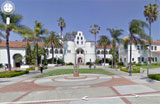
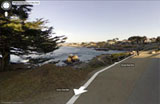
Lego land on street view
So google is now mapping places like Lego land and not just on the streets.
http://www.google.com/trike
here are some places they are mapping
They are accepting suggestions for places to map until Wednesday October 28, 2009
http://www.google.com/trike
here are some places they are mapping
They are accepting suggestions for places to map until Wednesday October 28, 2009

rome Catacombs in 3d
Very cool 3d mapping of underground catacombs.
But, until now, they have never been fully documented, their vast scale only recorded with handmade maps.
That is now changing, following a three-year project to create the first fully comprehensive three-dimensional image using laser scanners.
http://news.bbc.co.uk/2/hi/europe/8027650.stm
Tuesday, October 13, 2009
Creating html emails
I have learned how to use php to put html into emails!
This will be useful.
$admin= "emailfrom@gmail.com";
$email = "emailto@gmail.com";
$subject = "HTML in email";
$message = "
This will be useful.
$admin= "emailfrom@gmail.com";
$email = "emailto@gmail.com";
$subject = "HTML in email";
$message = "
";
$headers = "MIME-Version: 1.0\nContent-type: text/html; charset=UTF-8\n";
//$headers = "To: $firstname $lastname <$email>\n";
$headers .= "From: Your Agri-med Perscription <$admin>\n";
$mail = mail($email, $subject, $message, $headers);
if($mail) echo "The email has been send.";
?>
So that is all that is required. There are many email clients out there such as yahoo, gmail, hotmail, outlook
and they all see html in emails differently. They all have different support for html and css. Test your emails out with as many of these as you can to make sure your email styles are supported.
look at this page to learn what your emails look like in different clients and what features each support.
http://www.email-standards.org/clients/
Subscribe to:
Posts (Atom)